
Mailtor by Flowtor
One shipment. Every conversation.
Mailtor files every email with your shippers, carriers and partners to the shipment it belongs to. Your team reads, writes and plans in one place, instead of searching Outlook for the right thread.
45 seconds, no sound. Sample data with fictional companies.
Why freight teams lose time in email
Every shipment already lives in an email chain
Shippers, carriers and colleagues keep one chain per shipment, because it is the only way to keep track. In a shared inbox, those chains disappear among hundreds of others.
Finding the latest booking email means searching by PO, SO or vessel, every single time.
Someone adds a word to the subject line and the conversation splits in two.
Booking confirmations, draft B/Ls and invoices sit in different emails and folders.
Cut-offs and cargo ready dates are written in emails, not in a plan the whole team can see.
What Mailtor does
Built around the shipment, not the inbox
Mailtor sits on your shared operations mailbox. Everything below happens on the shipment, where the context is.
Filed automatically
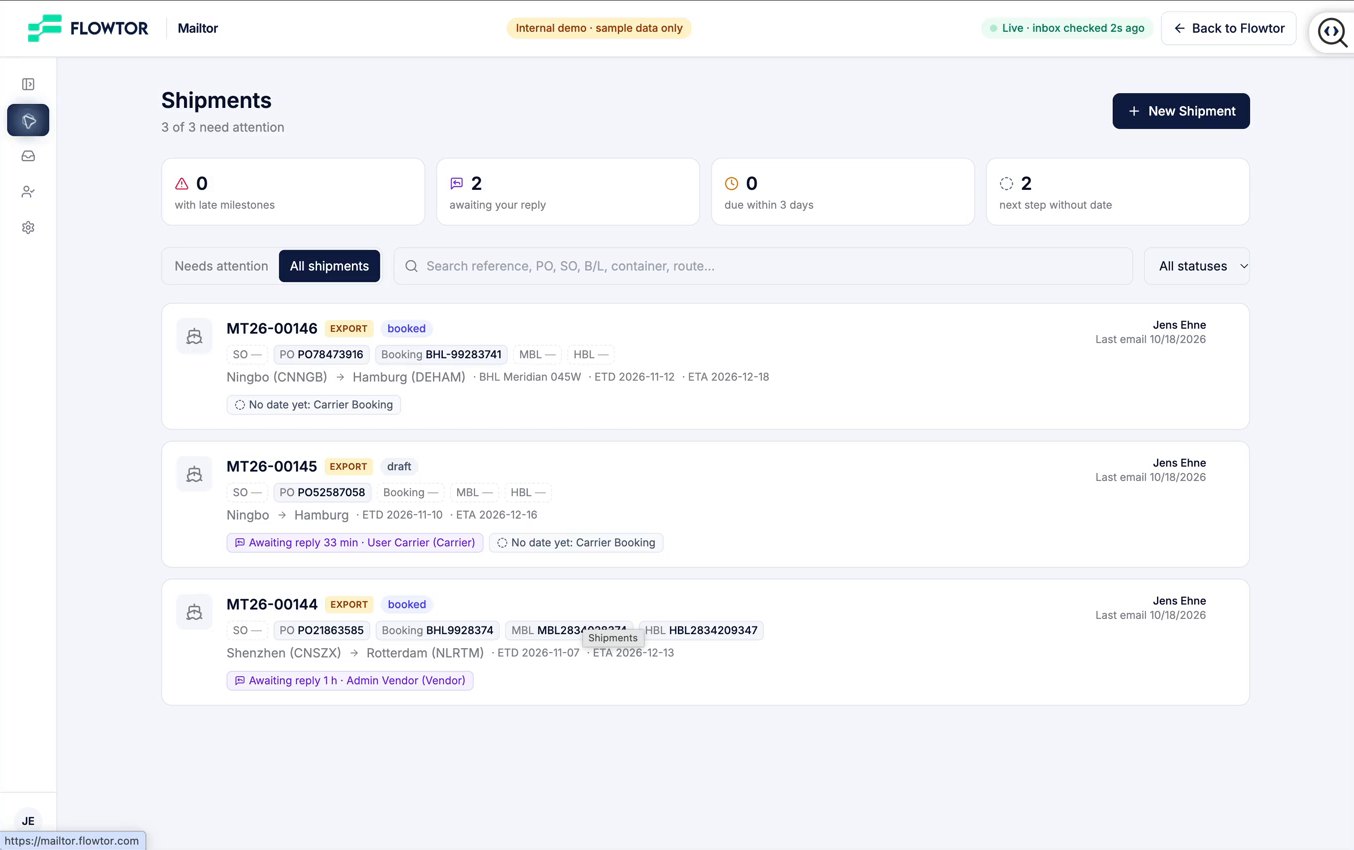
Every email lands on the right shipment
Mailtor files each email by its references: PO, SO, booking number or B/L. Replies follow their thread even when the subject changes. Each shipment shows its references at a glance and what needs attention next.
- One workspace per shipment
- A tab per party: shipper, carrier, forwarder
- Sent and received clearly apart
From request to shipment
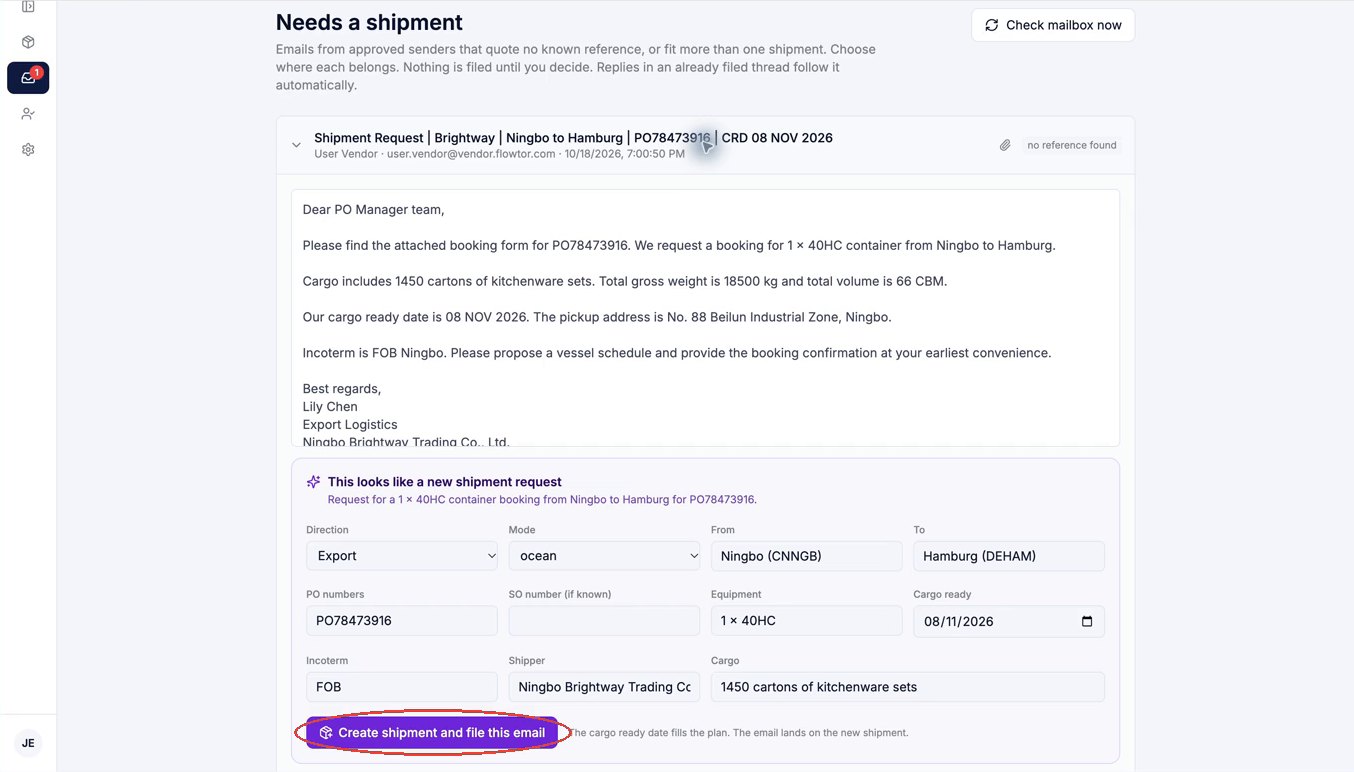
A new booking request becomes a shipment in one click
When a shipper sends a new booking request, Mailtor proposes the shipment from the email: PO, ports, equipment and cargo ready date. One click creates it, files the email and plans the milestones.
Write where the context is
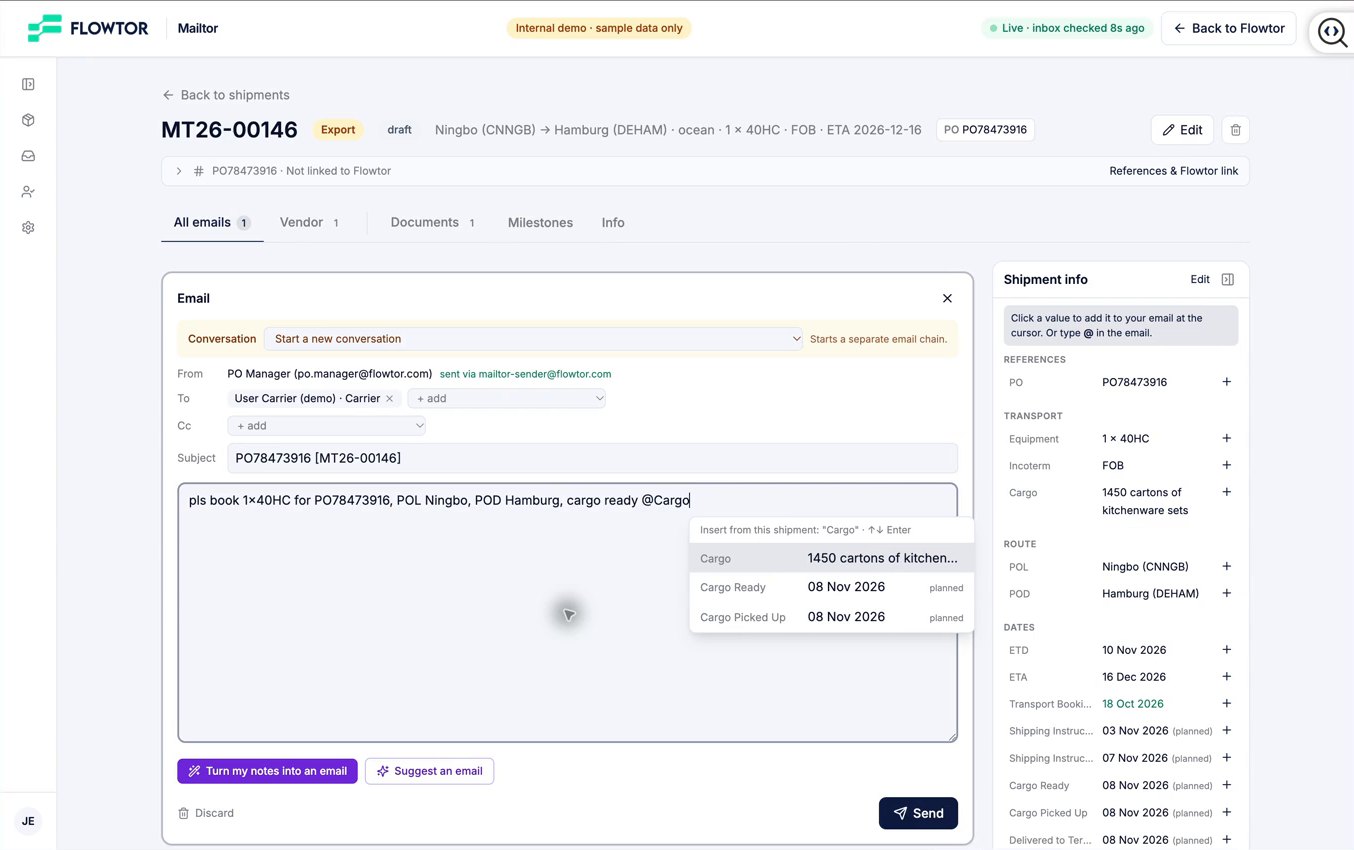
Rough notes become a clean email
Reply without leaving the shipment. Type a few notes, insert the PO, booking number or vessel with @, and let Mailtor turn them into a clear email. It keeps your facts, adds none of its own, and nothing is sent without your click.
Dates follow the conversation
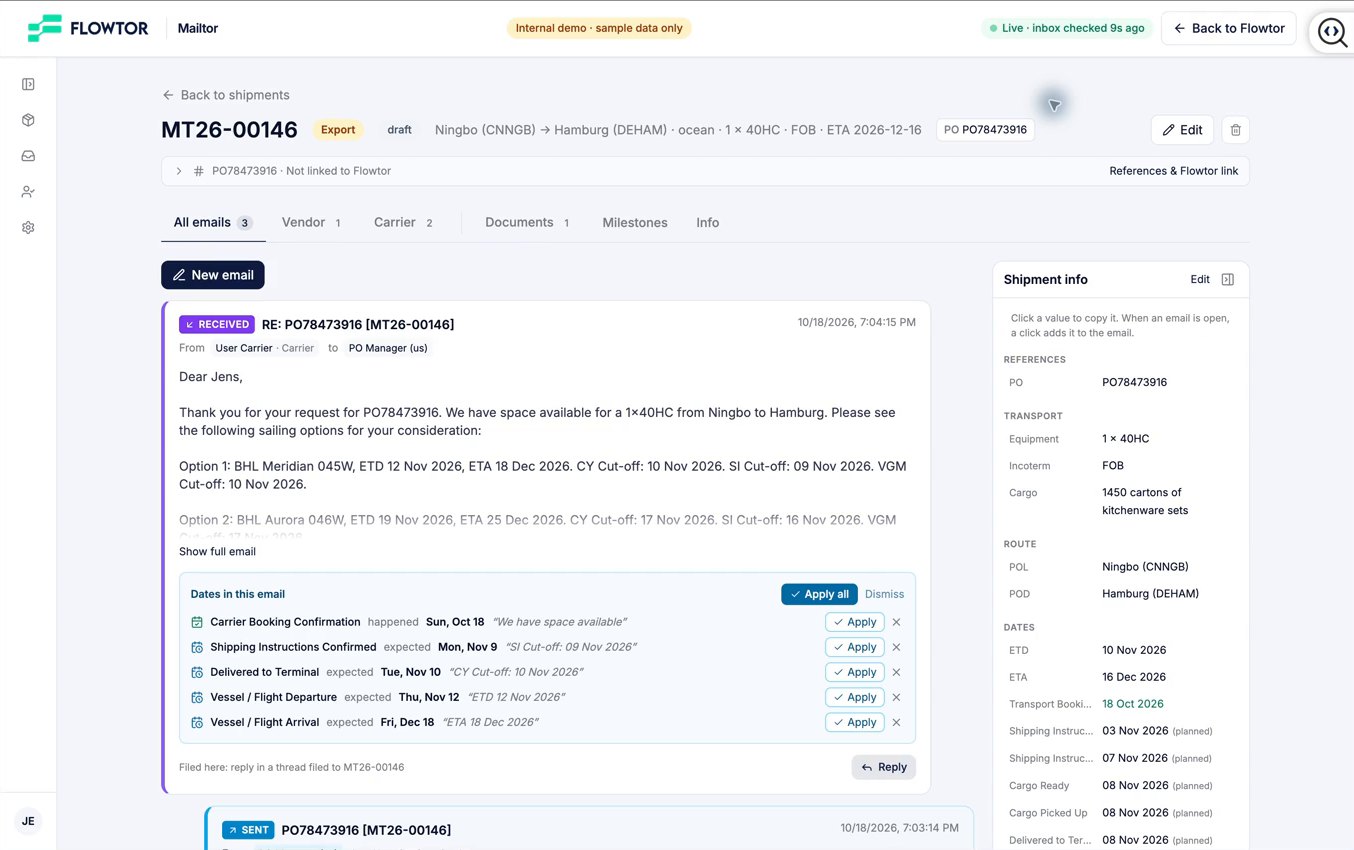
Cut-offs and sailing dates go straight into the plan
Mailtor spots dates in the carrier's reply, such as ETD, ETA and cut-offs, and offers to apply them to the shipment's milestones. Planned dates move when the cargo ready date moves, and the status moves on by itself.
Documents together
Confirmations and documents stay with the shipment
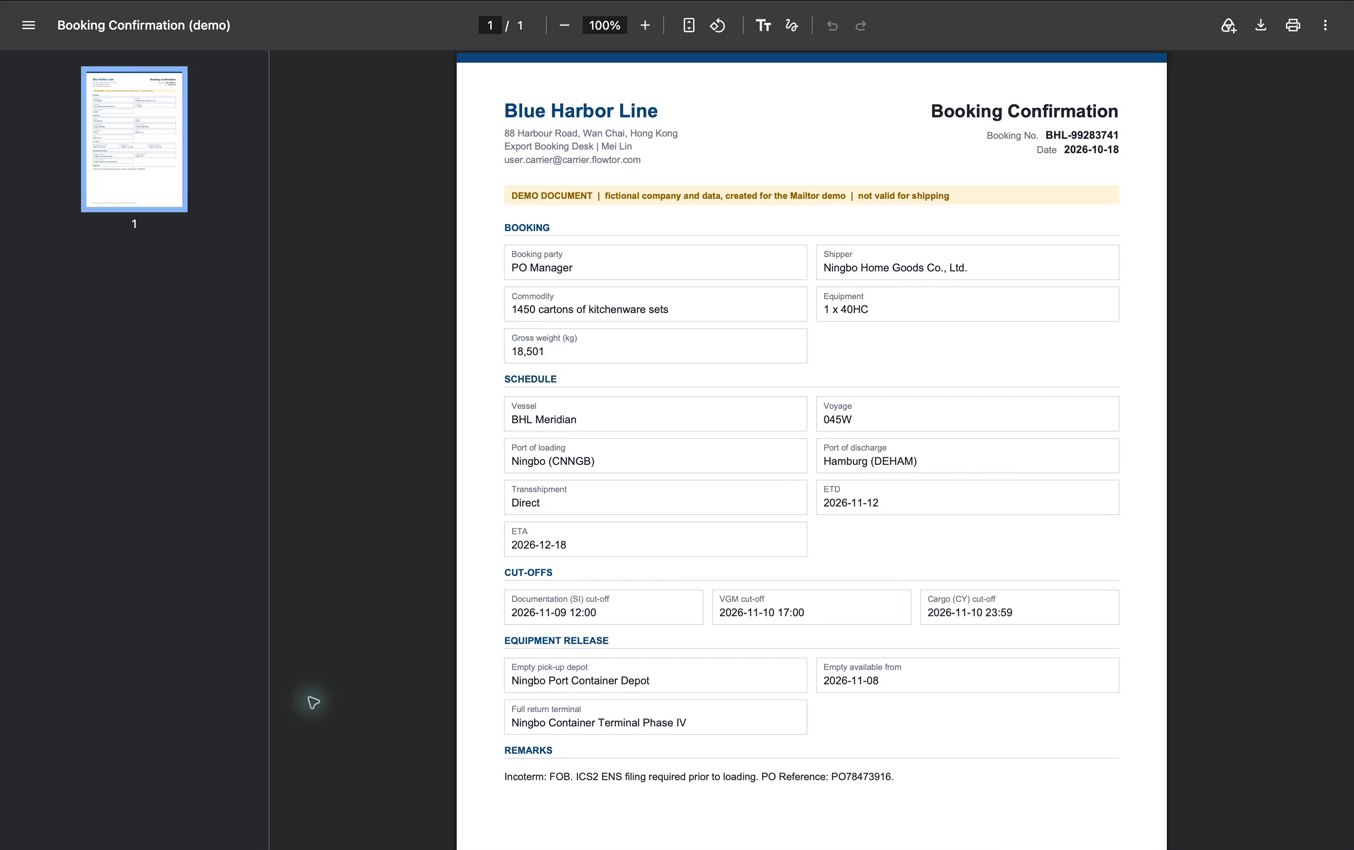
Booking confirmations, VGM forms, draft B/Ls, invoices and packing lists are filed with the email they came with, so the whole team finds them in one place.
Your team stays in control
Mailtor proposes. Your team decides.
People decide
Mailtor suggests dates, references and drafts. Your team applies them and presses Send.
Your mailbox, read only
Mailtor reads the shared operations mailbox with read-only access. Sending goes through a separate, restricted service.
Next to your TMS
Keep your TMS for bookings and invoicing. Mailtor organises the conversation around the shipment.
Mailtor is at an early stage. We show it in guided demonstrations and set it up with a small number of forwarding teams.
Would this help your operations team?
Tell us how your team handles shipment email today. We will show you Mailtor on a real flow and see whether a pilot fits.